Personal project / Customisable 3D prints
Entry types: explore, play. Main type: explore.
Makerworld contributions (free 3D prints)
My growing collection of free 3D prints for MakerWorld, including a customizable shelf-edge trim.
- When
- 30 October 2026 – ongoing
- My part
- My idea. My creation.
- With
- ChatGPT · assistance with the OpenSCAD model
- Context
- Personal project
01 / 30 October 2026
Shelf trim deco.
A customizable shelf-edge trim with hexagon and Asanoha patterns. My second MakerWorld contribution joins this growing collection.
As it happens
Project journal.
Notes, progress, and little things along the way.
2026
exploreplay Shelf trim deco. CAD detour.
I wanted to cover my ugly, barren shelf edges.
So I went to buy the thing made just for that... Lol, jk.
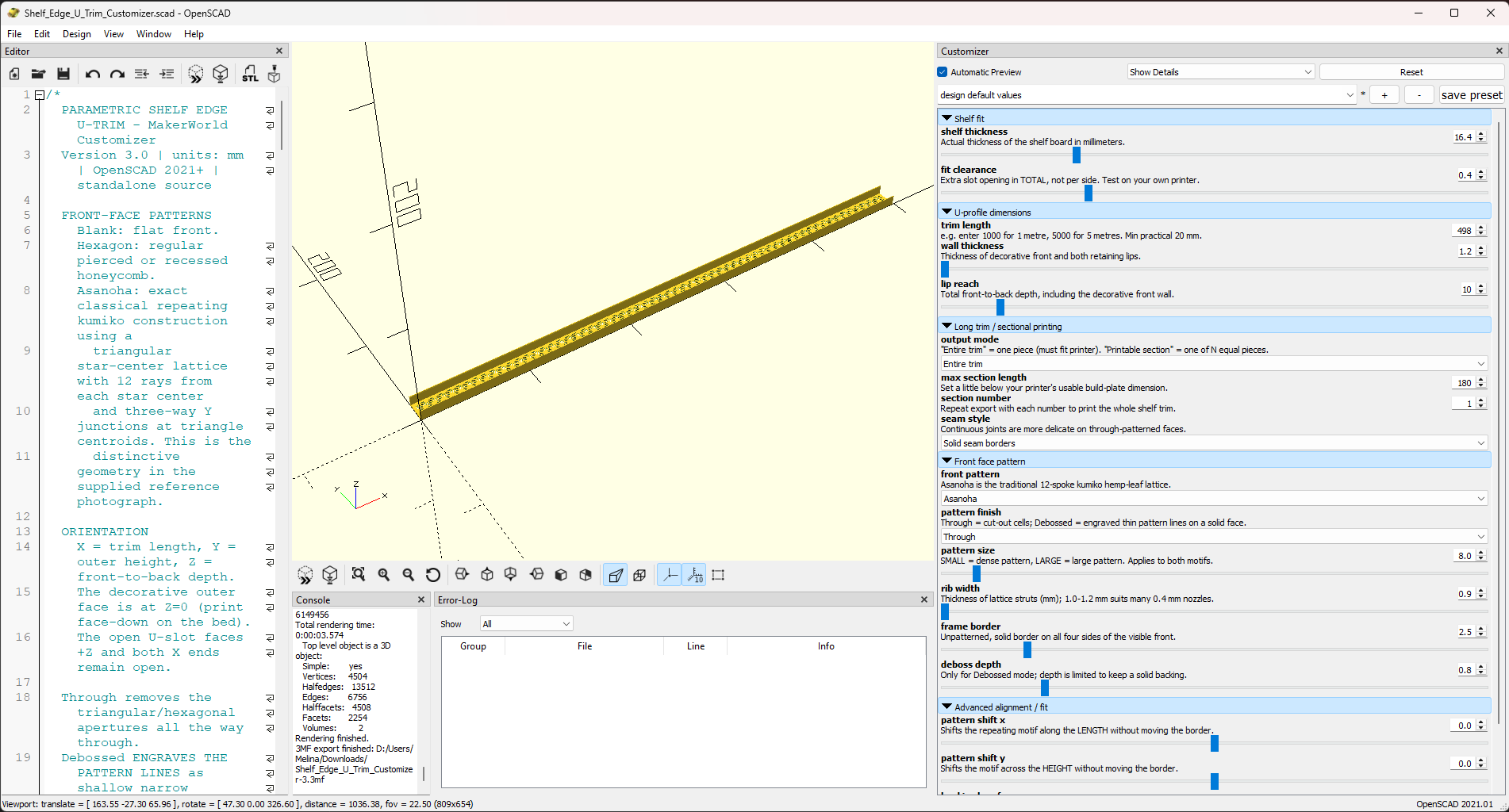
Instead, I started learning OpenSCAD to design my own parametrically customizable 3D prints to share on MakerWorld.
The vision: a U-shaped trim that slips over a shelf edge, with adjustable dimensions and a choice of plain, hexagon or Asanoha patterns.
I experimented with cut-through and debossed details, and ways to print longer trims in sections.
I also have two pattern obsessions. You might have guessed the first: “pointy side up” hexagons. More recently, I've fallen for the Asanoha kumiko pattern. Naturally, both need to end up on my shelves.
I want to be the very best, that no one ever was.
I'm on a (lifelong) journey to learn ALL the CAD software. The list is already long. FreeCAD was my latest addition, and now it's OpenSCAD's turn.
ChatGPT replaced my old method of “searching Google until I found answers or code to copy” (I never posted in forums, only lurked, so you can imagine how long that could take back then). I used its browser-based chat, with reasoning effort set to Extra High (because that costs no credits... yet...), to help me learn OpenSCAD, build and iterate on the model.
SolidWorks is my CAD comfort zone (I learned it in school and use it every day for work). I'm discovering that OpenSCAD is a different way of thinking: instead of building geometry visually, I'm describing it in code.
And just like that, my second MakerWorld contribution is born. The collection has begun.
Shelf-edge trim and customization controls in OpenSCAD.
My shelf edge, before and after adding the trim.
The shelf trim’s MakerWorld page, with its download and customization options.
Leave a note
Part of this story?
Want to be?
Have a thought, a memory, or something to add?
I’d love to hear it. Notes go directly to me and stay private unless you ask to publish them here.
This is a quiet spot for shared memories & thoughts. Approved notes will appear here.