Melii / CAD workflow development
Entry types: work, explore. Main type: work.
CAD ai-workflows for Melii
Funky shapes. Precise capacities. I’m teaching AI to do the early maths and build editable SolidWorks studies, so I can spend more time designing.
- When
- 2026
- My part
- Workflow development + design review
- Context
- Melii
01 / The beginning
Cute shape. Will it hold enough?
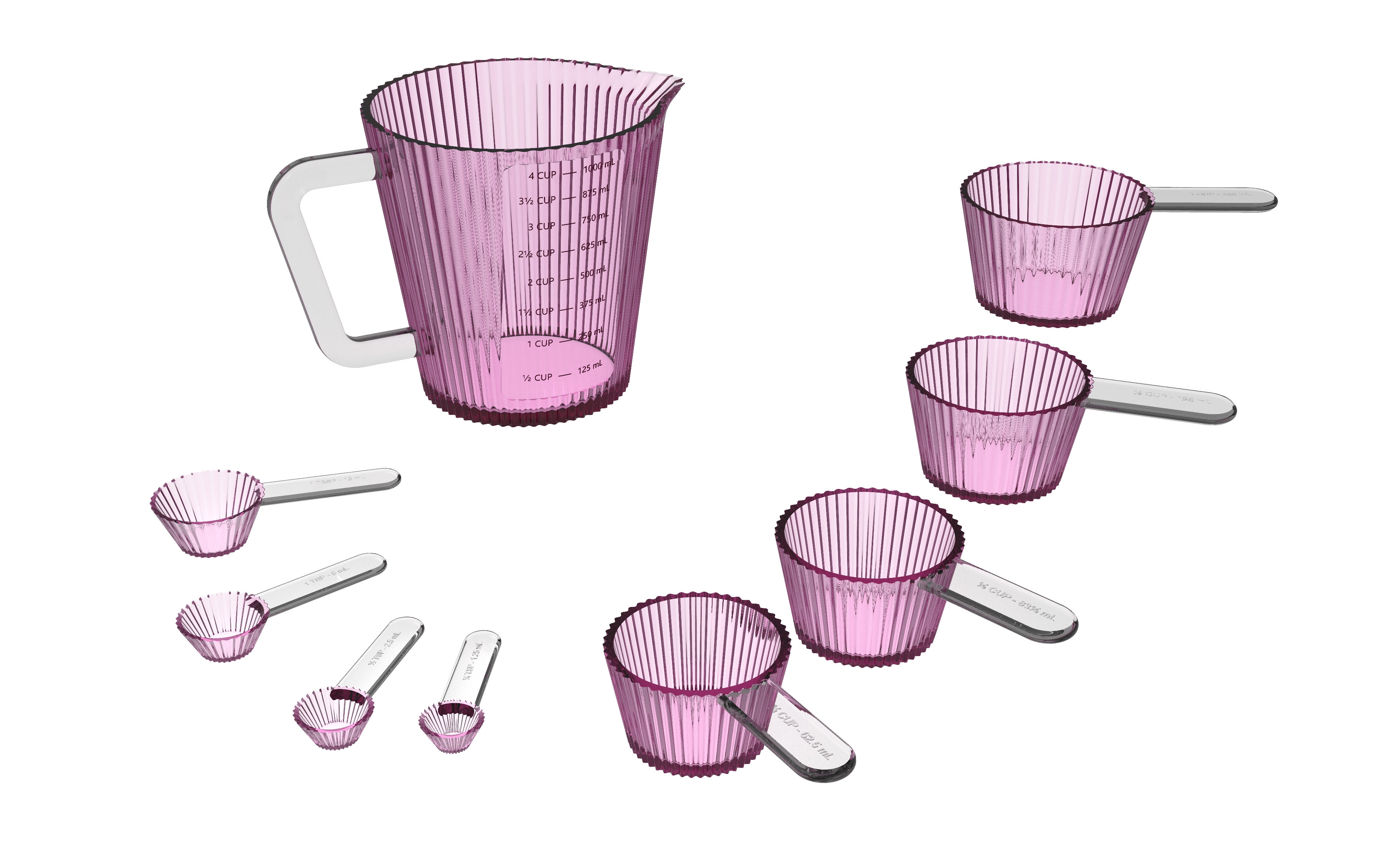
This started with Stacy’s measuring cups for Melii. Funky shapes are fun to design. Figuring out how much they actually hold? A little less fun. You can spend ages thinking through a CAD model, building all the details, and only then find out whether your capacity estimate was right. When it isn’t… tragedy.
I wanted that answer earlier. Give AI the capacity problem, let it work through the calculations and quick 3D tests, and get an editable starting point before I invest all that time in the detailed design. Meanwhile, I can work on a presentation or something else.
02 / September 30 – October 2, 2026
The shape was off. The capacity was perfect.
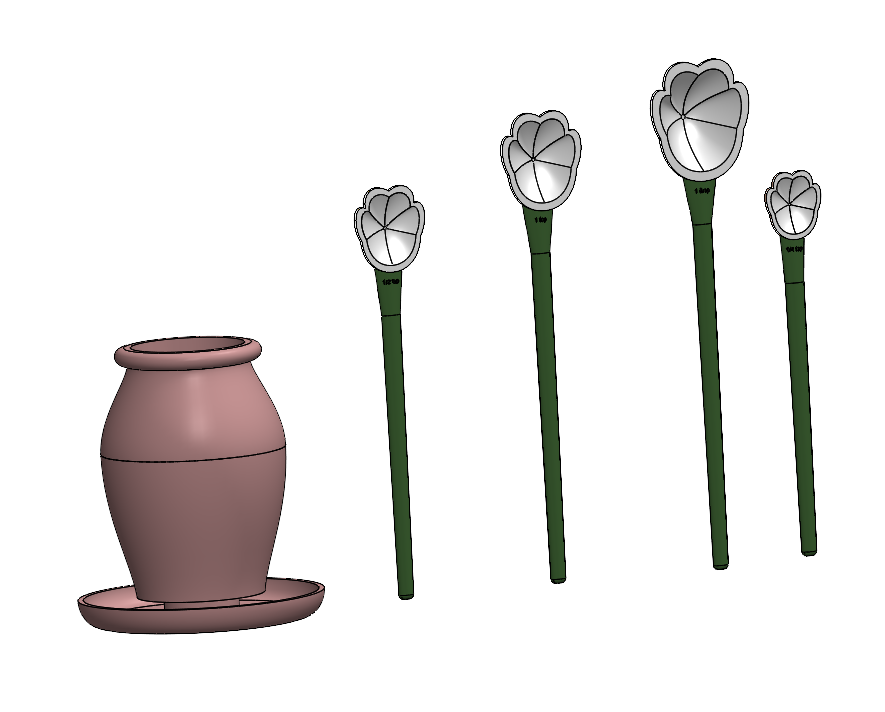
September 30, 2026: the very first test I saw from my capacity-checking workflow. The flower shape wasn’t quite right yet, but this was the beginning. On October 1, V1 was ready to print.
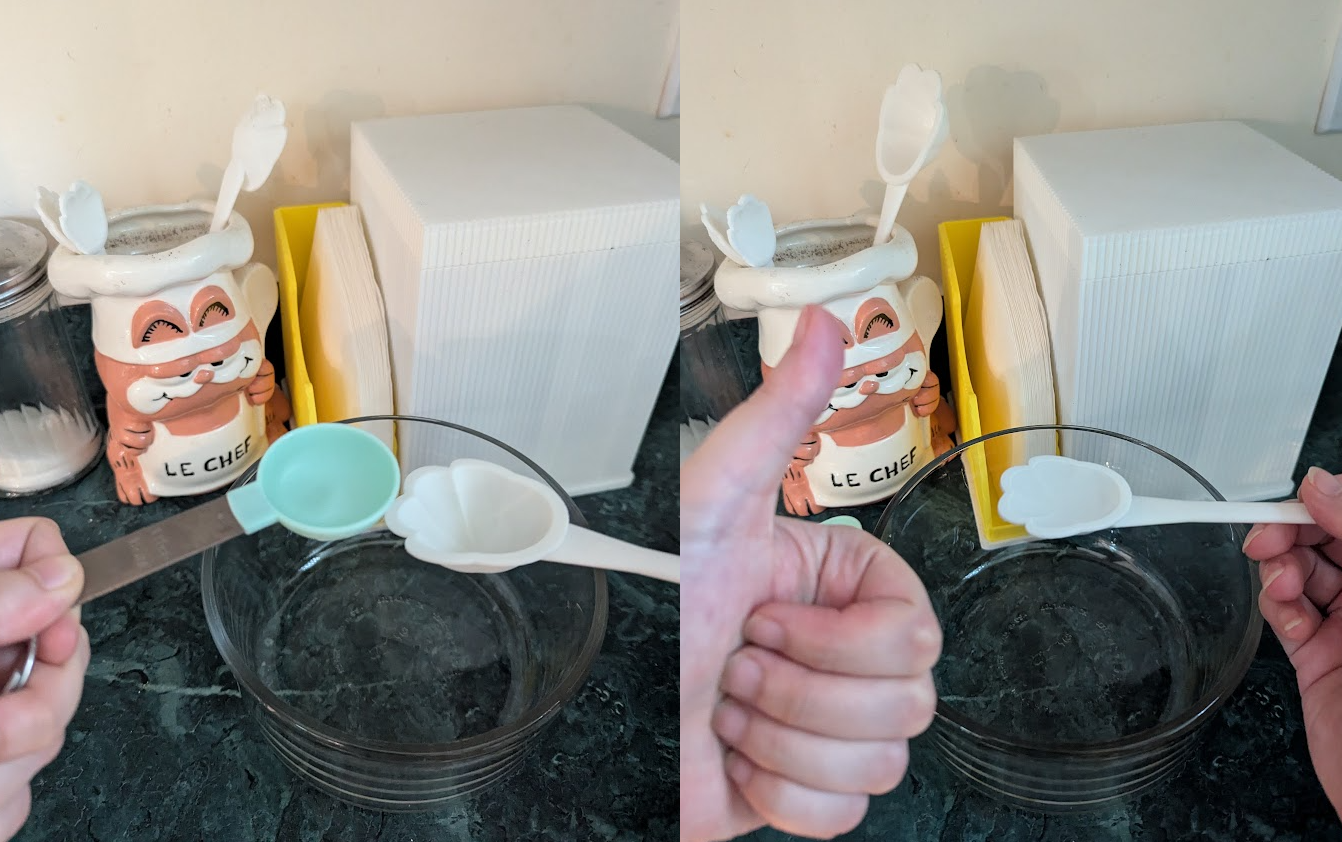
I 3D-printed it and checked the capacities against measuring spoons. On October 2, I recorded the result: 1 tablespoon, 1 teaspoon, ½ teaspoon and ¼ teaspoon all matched. The shape needed work. The capacity was perfect!
The beginning of a beautiful adventure with Capacity Companion, my AI agent for early capacity studies. A first result I could actually hold, test and improve.
October 2, 2026 · My printed prototype, checked against a measuring spoon. The shape was off, but the capacity was perfect!
October 1, 2026 · V1 of the flower measuring spoons, ready for printing and testing.
03 / Developing the workflow
“Make 3D” needed a few more steps.
Just asking AI to “make 3D” wasn’t giving me what I needed. I broke the work into stages. In my current workflow, an ImageGen concept from a presentation becomes a technical drawing: views and dimensions that I can actually question. I revise that drawing with my own design knowledge before asking AI to build the study.
Sometimes I already have the starting geometry. For the pumpkin cups, I supplied the actual SolidWorks shape and asked it to preserve that exterior. The brief also had to spell out the capacities, wall thickness and nesting. A nice-looking cup is only part of the job.
04 / Building and checking the study
Let the maths happen behind the scenes.
I have AI write and run scripts through PowerShell, connecting code to SolidWorks through its programming interface. That lets it build, adjust and check the model without clicking through every operation on screen. The capacity comes from calculations on the geometry; the AI helps set up and run that work.
For the pumpkin study, the scripts adjusted the size and rim height while keeping the walls at 1.75 mm. They checked the inside volume to the rim, compared it with the requested amount, then adjusted again. Nesting had to work too. Getting one cup right means very little if it won’t fit with the others.
05 / Pumpkin measuring cups · Revision B
Targets checked. Editable 3D saved.
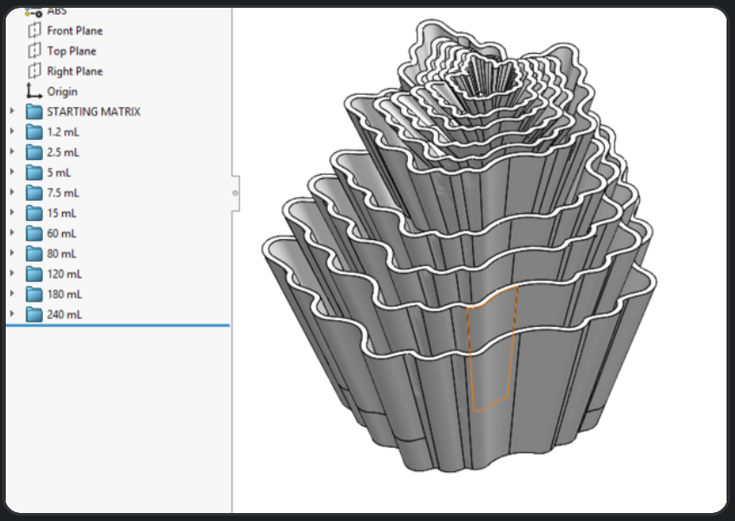
The pumpkin Revision B record has ten capacities, from 1.2 to 240 mL, with every calculated result within 0.004% of its target. The 240 mL cup came back at 240.00118 mL. That’s the kind of answer I want before getting attached to a complicated model.
The saved SolidWorks part keeps ten separate cup bodies and editable controls, arranged in two nesting groups. These are calculated brimful capacities in CAD. Physical samples still need their own checks, and changing the dimensions means checking capacity and nesting again.
06 / October 19–23, 2026
Different shapes. More lessons.
By October 19, I had leaf-shaped capacity studies and round starting volumes for the sunflower cups. The sunflower study then moved toward hemispherical bowls. My next corrections were concrete: handle spacing, avoiding interference and cleaning up failing surfaces. Getting the volume right was a starting point, not the end of the design.
07 / Why I wanted this workflow
SolidWorks doesn’t always (solid)WORKS.
The frozen screen. The waiting. The praying that it will wake up instead of crashing. And then remembering you forgot to save. I would really rather be designing.
Moving these repeated tests into scripts means I don’t have to babysit every click. SolidWorks is still doing the CAD work, so this doesn’t make it crash-proof. It does let me get on with another task while the study runs, then come back to a result I can inspect.
08 / November 2026 · the workflow keeps growing
Keep the lessons. Try the next shape.
I’m still refining the skills: the saved instructions that tell AI how I want this work done. Each correction gives the next attempt a better starting point. The measuring cups have been a great success for me, and I’m now applying the approach to swivel towers, with a skill specifically for their moving parts and constraints.
Looking back
More design. Less IT.
I want to spend my time designing, with the capacity question already answered. An early study takes that guess out of the work and gives me something solid to build on. That’s what makes this useful to me.
As it happens
Project journal.
Notes, progress, and little things along the way.
2026
workexplore CAD Capacity Companion
Spend ages building a funky shape in solidworks, finally check its capacity… and it's off target. Tragedy. I wanted a way to reach a final reliable answer BEFORE all that work.
My latest workflow has AI do the maths and quick SolidWorks tests while I work on something else. I get an initial, editable 3D with its capacity checked against the target. Less guessing. Less staring at a frozen screen, praying I remembered to save.
It started with measuring spoons, then Stacy’s measuring cups for Melii. I’ve put the full workflow together here. More design, less IT. Finally.
October 1, 2026 · Very first tests. The shape was off. But SCIENCE demanded I 3D-print it anyway…
… and the capacity was perfect! Marking the beginning of a wonderful friendship with CAD Capacity Companion (my AI agent for early capacity studies).
Starting with Stacy’s shape, I matched the capacities, nesting and wall thickness, then handed the set back to her.
Leave a note
Part of this story?
Want to be?
Have a thought, a memory, or something to add?
I’d love to hear it. Notes go directly to me and stay private unless you ask to publish them here.
This is a quiet spot for shared memories & thoughts. Approved notes will appear here.